
What's Konsaro?
Board materials, meetings, and decisions in one secure workspace. See what Konsaro covers, who works in it and how to get started.
Konsaro is board meeting software. It gives a board one secure place for its meeting papers, agendas, votes, minutes, decisions and follow-up tasks. It is built for boards of directors, committees, foundation and association boards, and for the board office staff who prepare their meetings. Konsaro is made by Software Vision AG in Zurich, Switzerland, and runs in your web browser, so there is nothing to install.
What you do in Konsaro
Konsaro follows the meeting cycle, from preparing the agenda to following up on what the board decided.
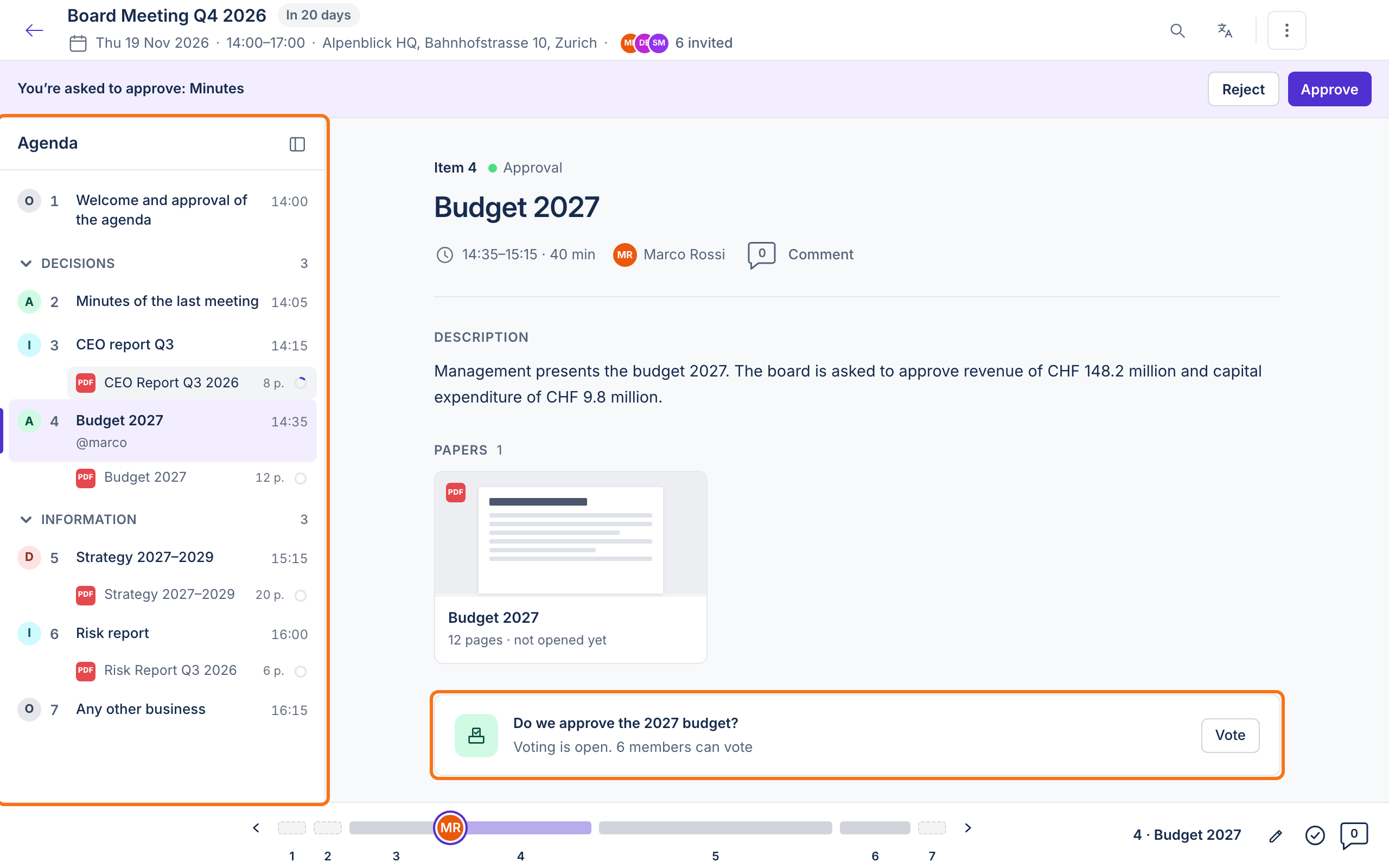
- Prepare: the board office builds the agenda, marks each item For decision, For discussion or For information, and attaches the PDF papers. Nothing is shared with the board until the agenda is published.
- Read: members open the papers in Konsaro, on any device, and see how far their preparation has got. Highlights, notes and drawings on a paper are private to the person who made them.
- Discuss: members comment on agenda items and papers before and during the meeting.
- Meet: during the meeting everyone follows the same agenda, and the meeting leader can present so that others see the same item and page.
- Decide: members vote Yes, No or Abstain, or ask for discussion, on items set up for a vote. The chair records the result, and it appears on the Decisions page. Written circular resolutions between meetings are available as a beta feature.
- Record and follow up: the board office writes the minutes with tasks per agenda item, shares a draft for review and publishes them. Published minutes can be downloaded as a PDF. Tasks have an owner and a due date and can be moved to a later meeting.
Who works in Konsaro
Each board or committee has its own room in Konsaro, with its own people, meetings and documents. Your role in a room decides what you see and do there.
- Chair: leads the board, prepares meetings with the board office and runs the votes.
- Board member: reads the papers, comments and votes.
- Board Office: prepares meetings, publishes agendas and minutes, and manages the people in the room.
- Organisation admin: has Board Office rights plus access to all content and the organisation's settings.
- Guest: for example an external auditor. Sees only the agenda items shared with them and cannot vote.
How to get started
You need an invitation to use Konsaro. Your board office or organisation admin sends it by email.
- Open the invitation email "You're invited to … in Konsaro" and select Open Konsaro.
- Set your password. If your organisation uses its company login (SSO), sign in with that instead.
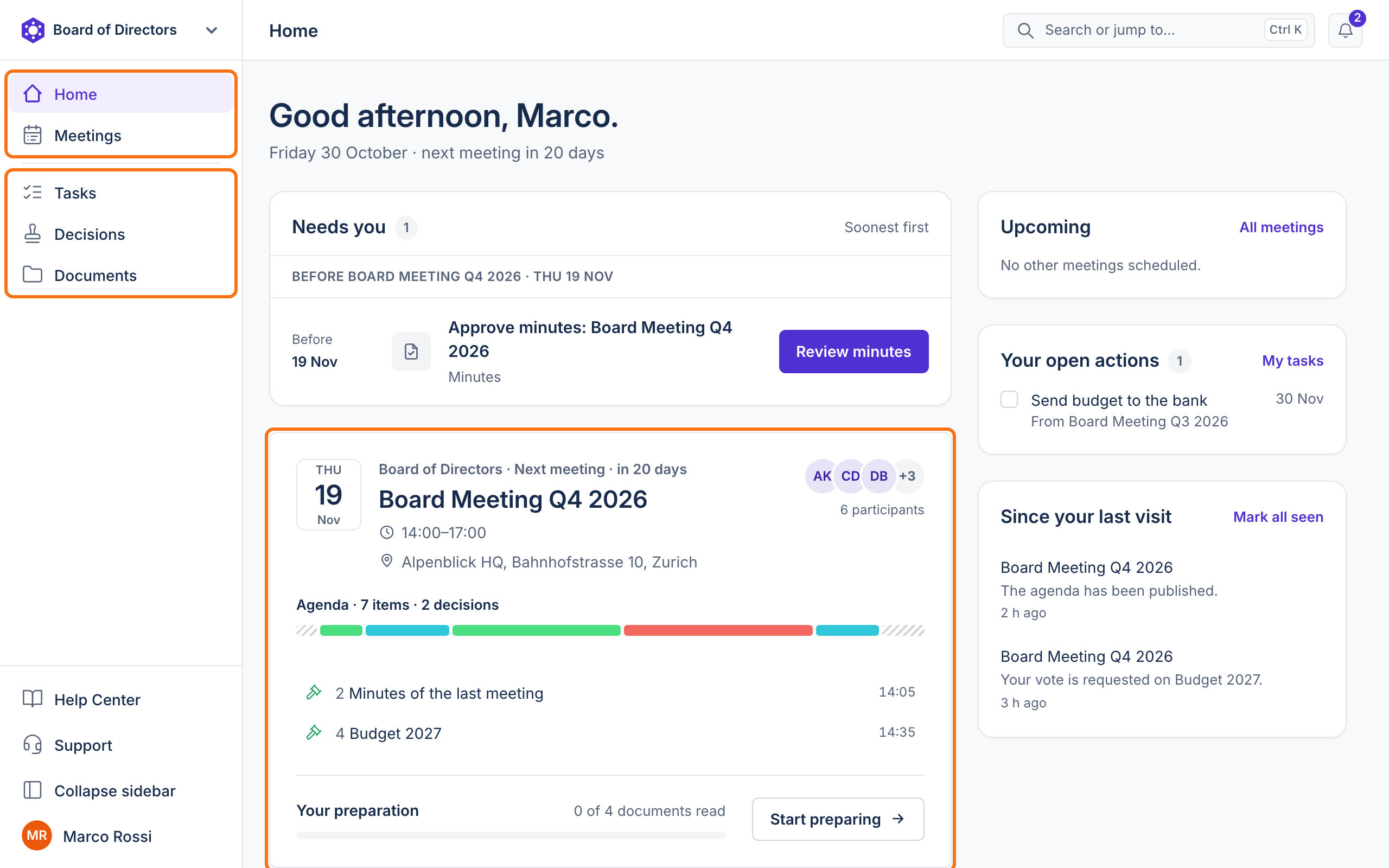
- Konsaro opens the Home page of your board or committee.
- Open your next meeting from the Next meeting card to read the agenda and the papers.
Security in brief
Board data is stored in Zurich, Switzerland, and encrypted in transit and at rest. Your organisation can require two-step verification, sign people out after a period of inactivity, and protect papers with watermarks or limit printing and downloads. The Security and privacy articles explain the details.
Common questions
Do I need to install anything?
No. Konsaro runs in a current web browser on your computer, tablet or phone.
I sit on two boards. Do I need two accounts?
No. If both boards use Konsaro in the same organisation, you see each one as a room and switch between them at the top of the left sidebar.
How can my organisation start using Konsaro?
Request a demo on konsaro.com. The Konsaro team sets up your organisation and its first rooms with you.
Was this page helpful?